Monorepo Guidelines
Monorepos are messy. Frontend has accessibility rules, backend has API contracts, payments has compliance requirements. A single guideline file can’t cover all of it cleanly. Monorepo Guidelines lets you put the right review instructions next to the code they apply to, and Optibot picks up only the ones that matter for each PR.
There are three ways to tell Optibot where your instructions live: register each file by hand, auto-detect them with a glob pattern so you never maintain a list, or match them to file types like *.proto regardless of where those files sit. The rest of this page walks through all three.
Setting It Up
Open Repository Guidelines in the Optibot dashboard.
Choose your repository type
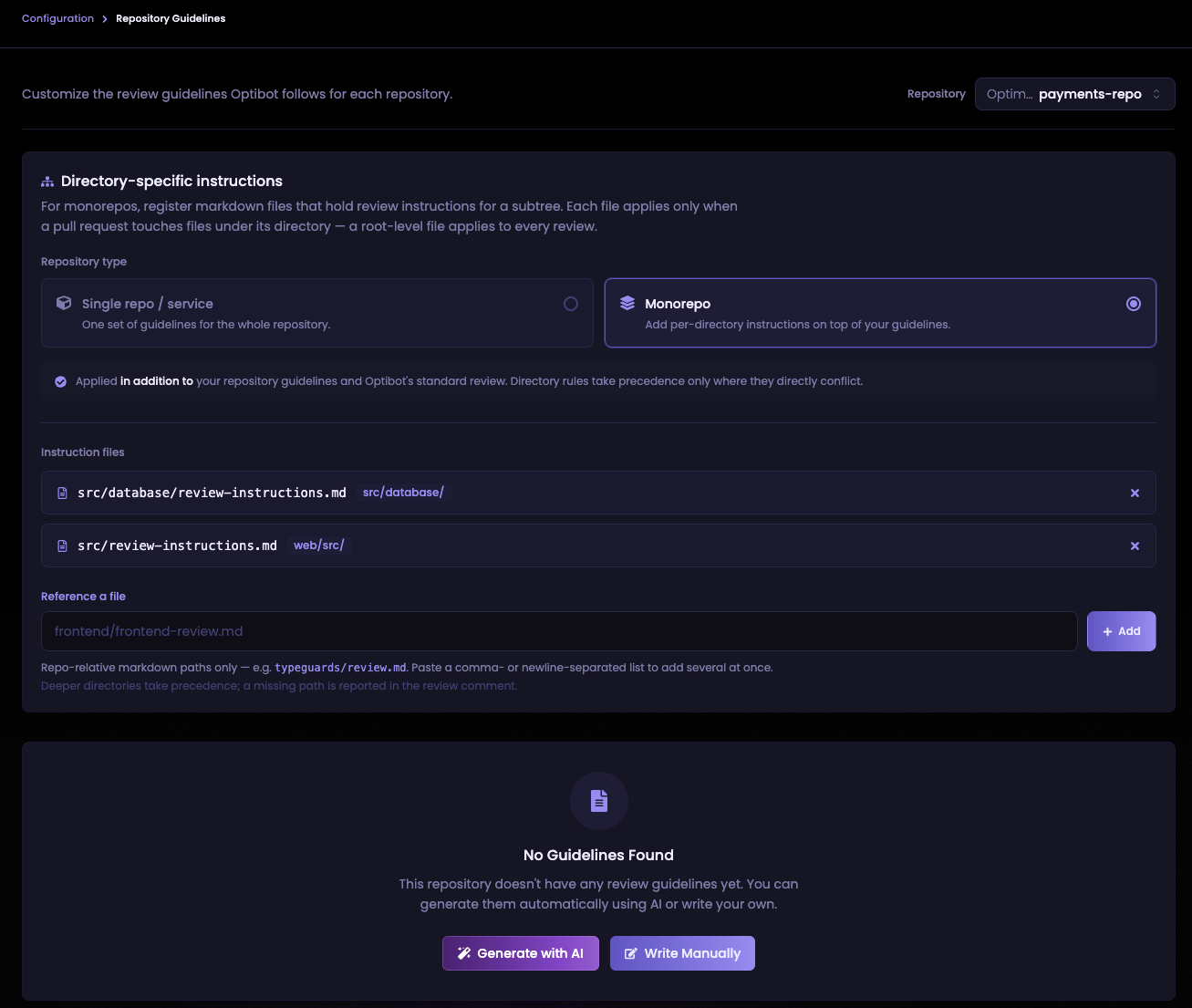
Under Directory-specific instructions, select Monorepo. This turns on per-directory instructions on top of your existing repository guidelines. If you only need one set of guidelines for the whole repo, leave it on Single repo / service.
Register your instruction files
Use the Reference a file field to register the markdown files that hold your review instructions. Enter repo-relative paths like frontend/frontend-review.md or typeguards/review.md. To add several at once, paste a comma or newline-separated list and click Add.
Each file you add shows its scope alongside the path in the list.
Create the files in your repo
Each file you register needs to actually exist in your repository. Write it the same way you would write a checklist for a teammate doing the review:
# Frontend Review Guidelines

## TypeScript
- New components must be fully typed. Avoid any.
- Use discriminated unions over boolean props for state.

## Accessibility
- Interactive elements need aria-label or visible text.
- Color alone cannot convey information.

## Performance
- Avoid re-renders from inline object or function literals in JSX.
- Lazy-load routes with React.lazy unless they are on the critical path.

## Styling
- Use design tokens from theme.ts. Do not hard-code hex colors.
Instructions are applied on top of your repository guidelines and Optibot’s standard review. They add scrutiny, they do not replace anything.
Auto-detect files with a glob
On a large monorepo, listing every instruction file by hand gets tedious and goes stale the moment someone adds a new service. Instead, give Optibot a glob pattern under Auto-detect instruction files and it discovers the matching files for you.
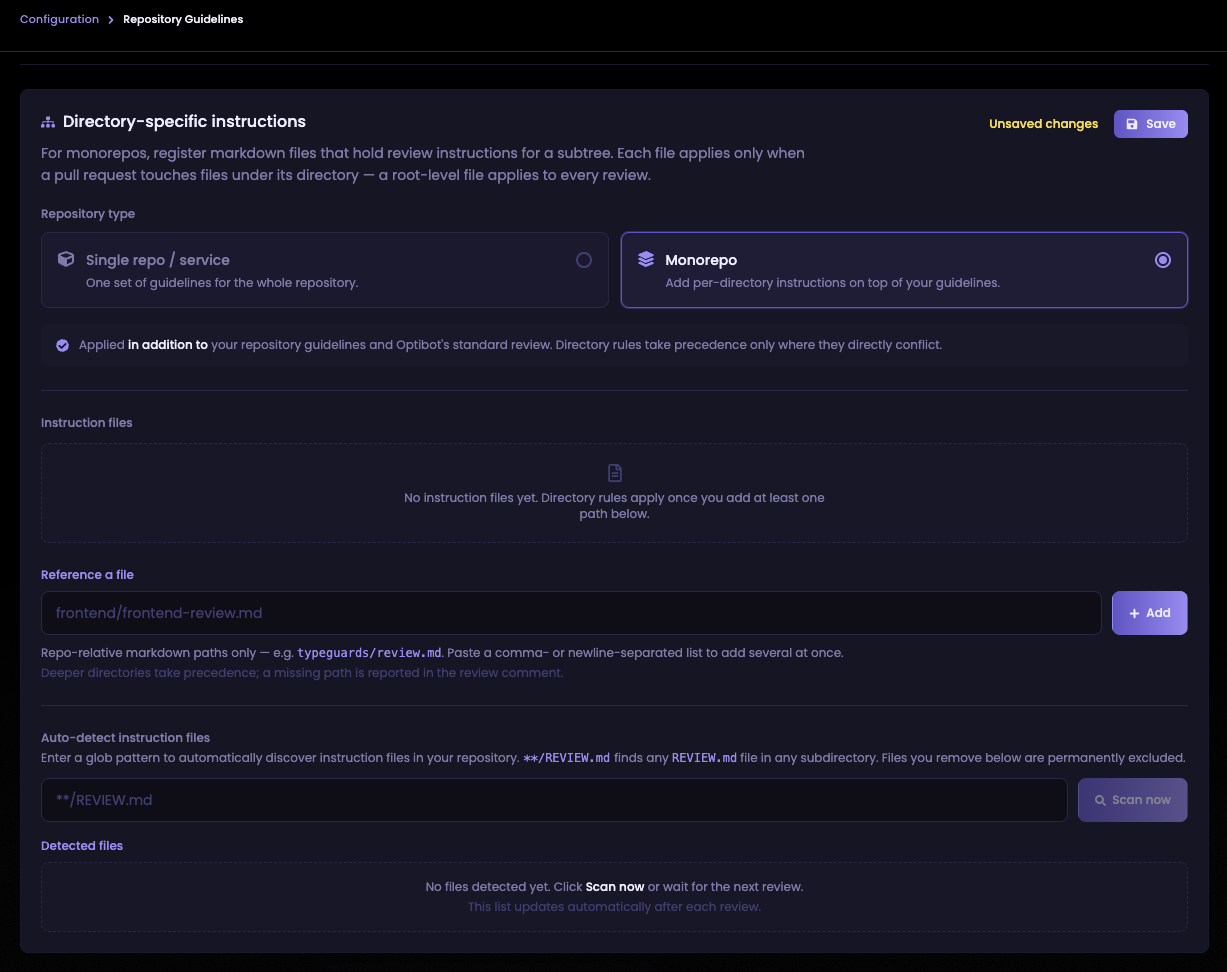
Enter a pattern like **/REVIEW.md, which finds any file named REVIEW.md in any directory. A repo structured like this:
my-repo/
├── REVIEW.md                      ← root · applies to every PR
├── frontend/
│   ├── REVIEW.md                  ← applies to PRs touching frontend/
│   └── components/
│       └── Button.tsx
├── backend/
│   ├── REVIEW.md                  ← applies to PRs touching backend/
│   └── api/
│       └── users.go
└── services/
    └── payments/
        ├── REVIEW.md              ← applies to PRs touching services/payments/
        └── handler.go
would produce four matches from a single **/REVIEW.md pattern, each scoped to its own directory.
Click Scan now to confirm which files your pattern currently matches before the next review runs. New files matching your pattern are always included on the next review automatically. A new service that adds a REVIEW.md gets its instructions applied on the very next PR with no dashboard change.
When to use auto-detect
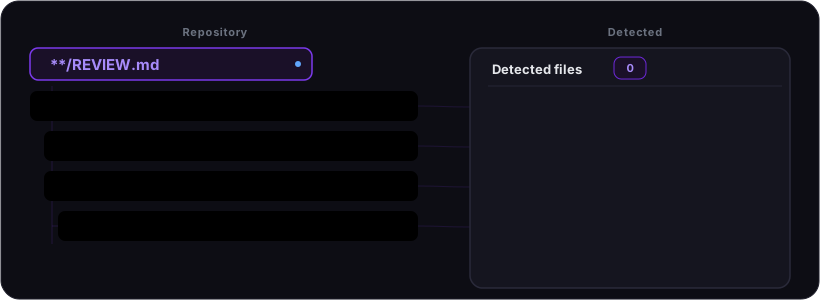
Auto-detect is most valuable when your teams already follow (or can agree on) a consistent naming convention for instruction files. A single pattern like **/REVIEW.md covers the entire organisation. Every team that adds a file in the right place gets their instructions applied automatically, with no dashboard access required and no list to maintain.
The main benefits over manual registration:
- No stale config. A manual list needs updating every time a team adds or moves a service. A glob stays accurate as the repo changes.
- Teams self-serve. A new team drops a
REVIEW.mdinto their directory and their instructions are live on the next PR without touching Optibot’s settings. - Scales linearly with the repo. One line of config works the same for three services or three hundred.
Use manual registration instead when instruction files don’t follow a predictable naming pattern, or when you need explicit control over exactly which files apply.
A few things worth knowing:
- The glob decides which files to pick up, not which PRs they run on. A discovered file at
services/payments/REVIEW.mdstill only applies to PRs that touchservices/payments/**, exactly like a file you registered by hand. Scoping always follows the file’s location. - Use
**/for nested files.**/REVIEW.mdmatches at any depth, including the repo root. A bareREVIEW.mdmatches only a file at the root. - Instruction files must be markdown. Name your files with a
.mdor.mdxextension. - Permanently exclude files you don’t want. If a scan surfaces a file you’d rather not apply, remove it from the detected list. Removed files are permanently excluded and will not reappear on future scans, even if they still match the pattern.
Auto-detect and manual paths stack. Files you register by hand still apply, and the glob adds to them.
How Scoping Works
The location of an instruction file determines which PRs it applies to. A file only runs when the PR modifies at least one file inside that directory.
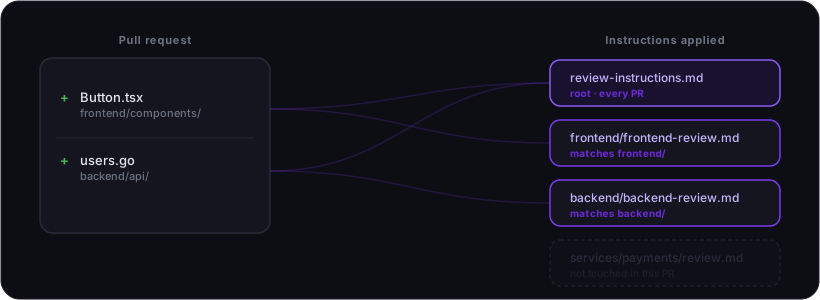
| Instruction file | Applies when the PR touches |
|---|---|
review-instructions.md | Anything in the repo |
frontend/frontend-review.md | frontend/** |
backend/backend-review.md | backend/** |
services/payments/review.md | services/payments/** |
When a PR touches multiple directories, all matching files apply. If two files conflict on the same point, the deeper directory wins.
Scope by File Type Instead of Directory
Directory instructions answer the question “which part of the repo changed.” Sometimes you want the opposite question: “what kind of file changed.” A .proto schema, a database migration, or a Terraform file deserves the same scrutiny wherever it lives in the tree. That is what File-pattern instructions are for.
Open the File-pattern instructions card on the Repository Guidelines page and toggle it on. Each rule maps a file pattern to an instruction file:
| Pattern | Instruction file | Fires when the PR changes |
|---|---|---|
*.proto | docs/protobuf-guideline.md | any .proto file, anywhere in the repo |
*.py | python/review.md | any Python file |
**/migrations/*.sql | db/migration-review.md | any SQL file inside a migrations directory |
When a PR changes at least one file matching the pattern, Optibot loads that instruction file and applies it, on top of your directory instructions and standard review.
Pattern matching rules
Patterns use standard glob syntax (wildcards like * and **), matched against the paths of the files changed in the PR:
- A pattern with no slash matches the file name anywhere in the tree.
*.protomatches bothapi/v1/user.protoanduser.proto. - A pattern with a slash matches at exactly that depth.
src/*.protomatchessrc/user.protobut notsrc/v1/user.proto. Usesrc/**/*.prototo match recursively.
When to reach for it
Use file-pattern instructions for guidelines that follow a technology rather than a location:
- Protobuf or GraphQL schema conventions (
*.proto,*.graphql) - Database migration safety checks (
**/migrations/*.sql) - Infrastructure files (
Dockerfile,*.tf) - A language standard that applies repo-wide (
*.py,*.go)
If a rule is really about one directory, use a directory instruction instead. Reserve file-pattern rules for the cases that genuinely cut across the tree.
Best Practices
Keep the root file broad, directory files specific
The root instruction file is a good place for standards that genuinely apply across the whole codebase: commit message conventions, general naming rules, cross-cutting security requirements. Everything more specific belongs in the directory file closest to the code it governs. If a rule only matters in one subtree, it should only live there.
Write rules as things to flag, not general advice
Optibot gets the most out of specific, actionable instructions. “Flag any database query that concatenates user input directly into a SQL string” gives it something concrete to act on. “Write secure code” does not. Think about what a senior engineer on your team would actually push back on in a review and write that down.
Don’t repeat Optibot’s baseline
Optibot already catches common security issues, null safety problems, logic errors, and code quality concerns as part of its standard review. Your instruction files work best when they cover what is specific to your team’s conventions and domain, not things Optibot already handles.
One owner per file
Each instruction file should be owned by the team responsible for that directory. When multiple teams can edit the same file without coordination, rules start to conflict and the file becomes hard to trust. Treat each file the same way you would treat a CODEOWNERS entry.
Avoid contradicting the root
The root file sets the floor for the whole repo. If a directory file seems to need to contradict it, that usually means the root rule is too broad rather than that the directory needs an exception. Narrow the root rule to apply only where it belongs instead of fighting it from a subdirectory.
Keep them short
A focused ten-point file works better than an exhaustive fifty-point one. Prioritize the rules that would otherwise slip through review. Long files are harder to maintain and harder for Optibot to apply consistently.
Update them as the codebase evolves
Instruction files that reflect last year’s architecture produce noisy, irrelevant feedback. Review them when you make significant changes to a directory’s patterns or ownership, and remove rules that no longer apply.
Review Comment Footer
Each review comment includes a collapsible footer showing which instruction files Optibot used and how each one was matched. Entries are labelled so you can see at a glance why a file applied:
- Auto-detected: files picked up by your glob pattern rather than registered by hand
- Files matching
<pattern>: files pulled in by a file-pattern rule
It also flags:
- Skipped: instruction files modified by the PR itself (see Security below)
- Missing: files you have registered that do not exist in your repository, useful for catching typos or files that have been moved
Security
Instruction files are always read from your base branch, not the PR branch. This applies the same way whether a file was registered by hand, auto-detected by a glob, or matched by a file-pattern rule: if a PR modifies an instruction file, that change is ignored until it merges, so a PR cannot rewrite the rules it is reviewed against. Instructions can only add to a review. They cannot suppress security findings, breaking bugs, or data integrity issues.
Adding or removing instruction files in the dashboard takes effect immediately for new PRs. Changes to the content of an instruction file take effect once they are merged into the base branch.