New Release Impact Insights Conversations Review Memory
Introducing Impact
A new Impact page shows what your team fixed after Optibot's reviews, and review threads now get a reply only when you ask for one.
Impact is a new dashboard page that shows what your team fixed after Optibot's reviews, where risk is building, and how AI-written code compares. Review threads are quieter too: Optibot answers when you ask, and acknowledges the rest with a 👍.
New
Impact
Open Impact under Workspace in the sidebar. Each section leads with a plain-language headline, then the chart behind it.
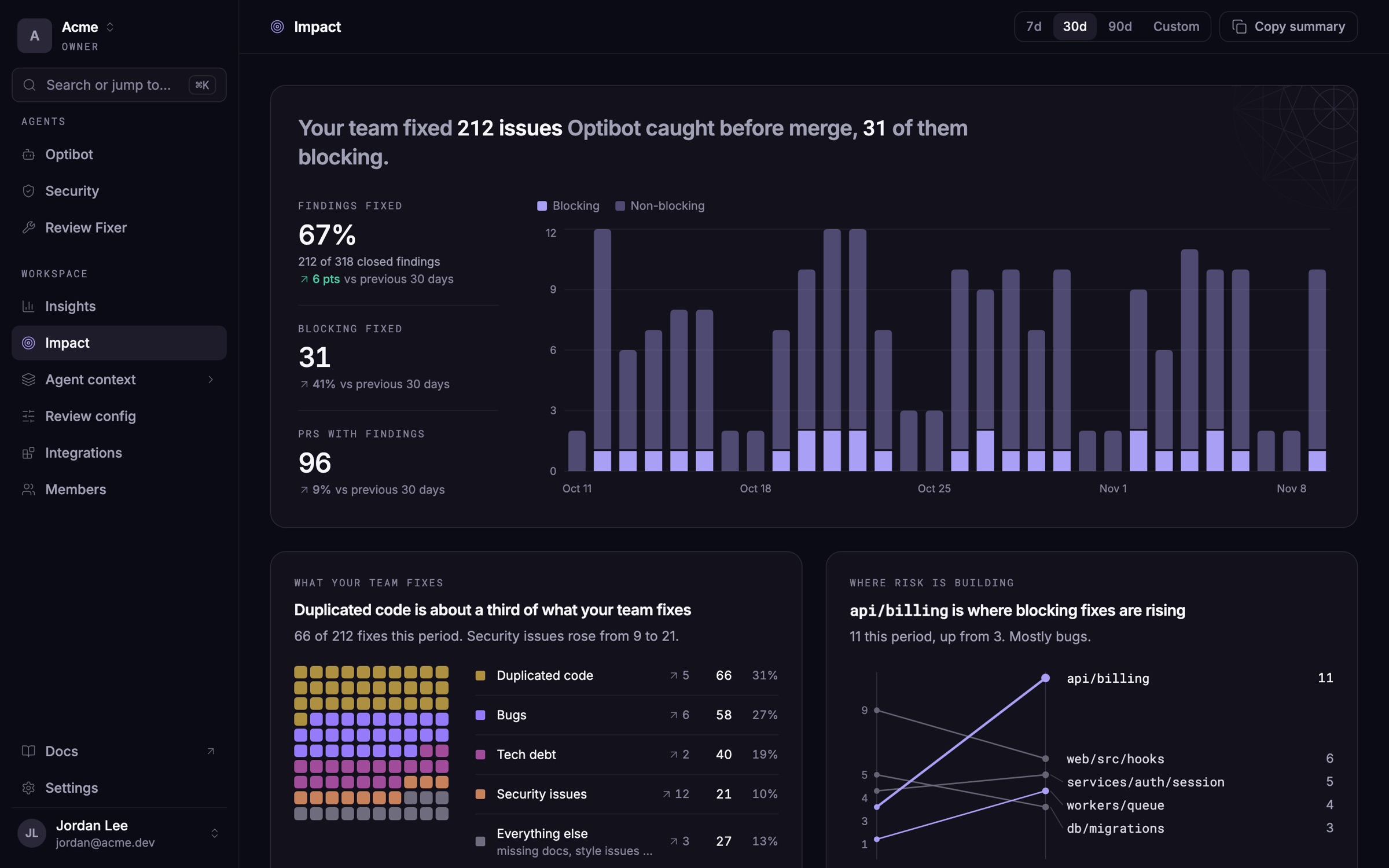
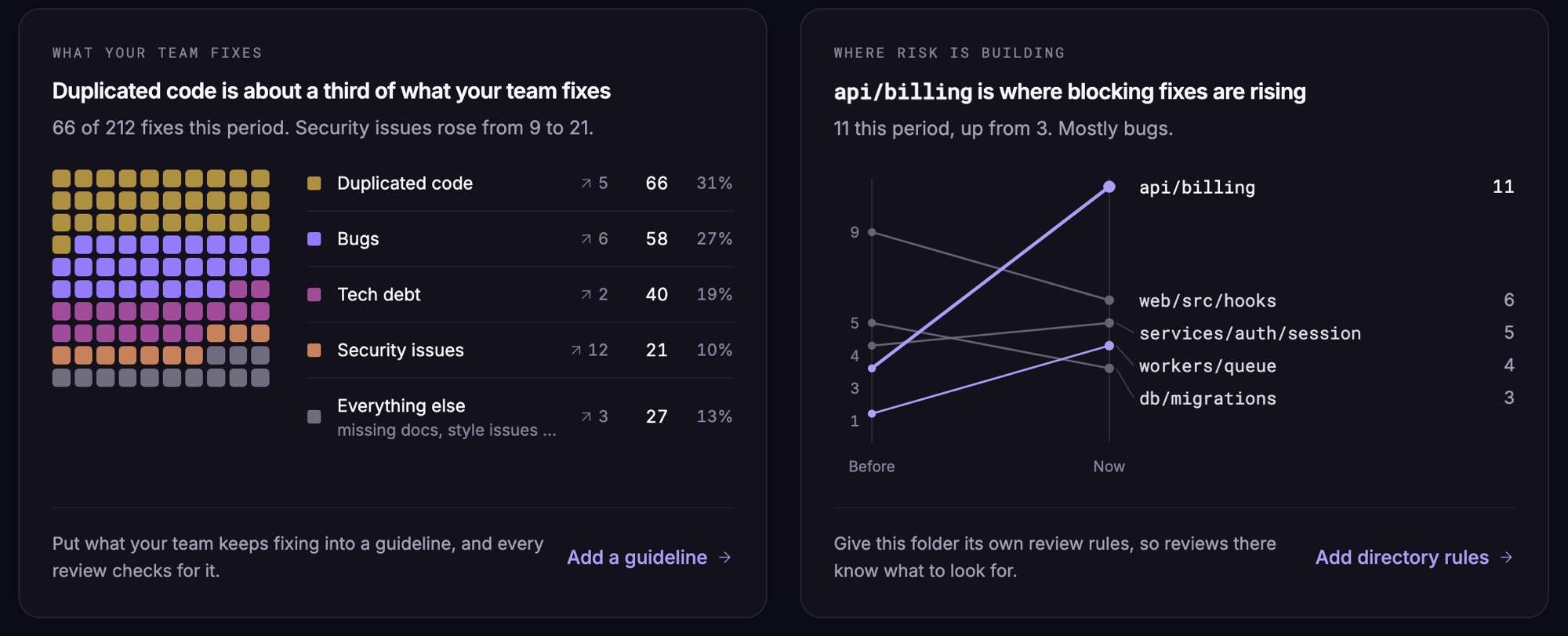
- What your team fixes. Fixes made after Optibot's reviews, broken down by kind, such as bugs, security issues and missing tests, with the kind that grew the most.
- Where risk is building. The folders with the most blocking fixes, and the ones where blocking fixes are rising.
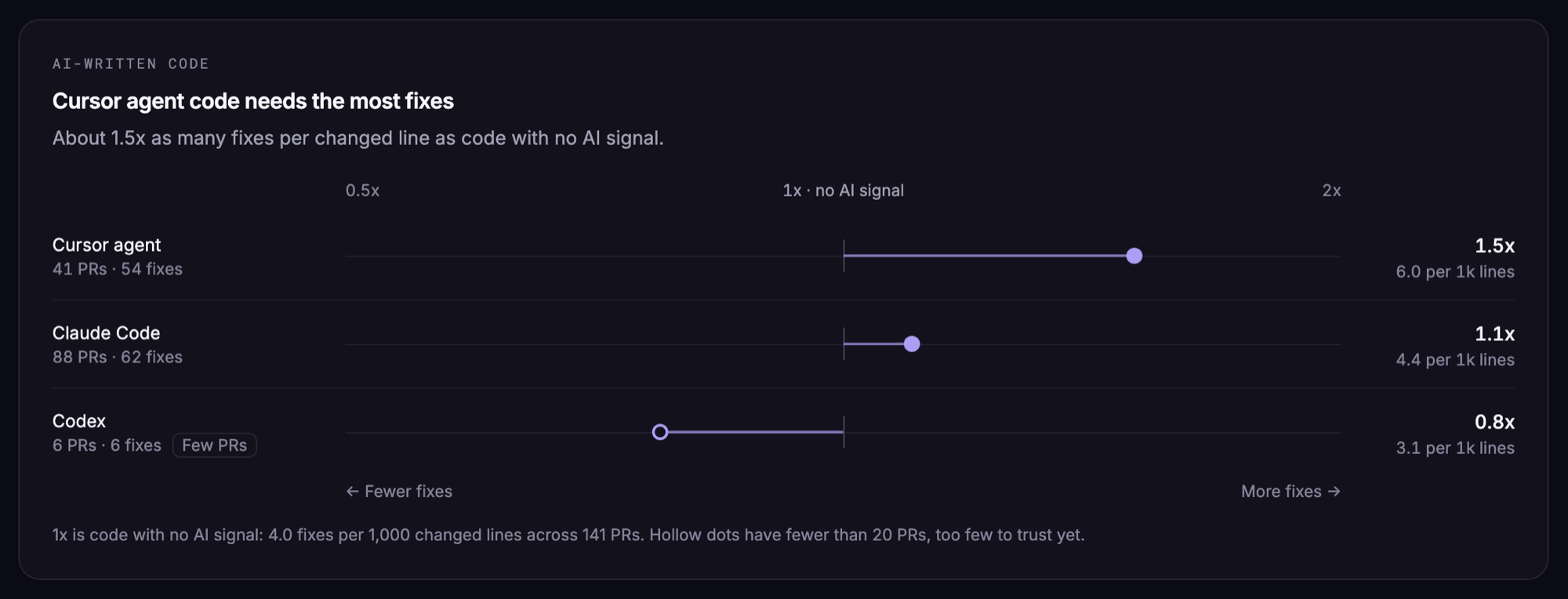
- AI-written code. On GitHub, Impact recognizes pull requests written by coding agents such as Claude Code and Cursor, and compares how many fixes their code needs with code that has no AI signal.
Review threads that respect your time
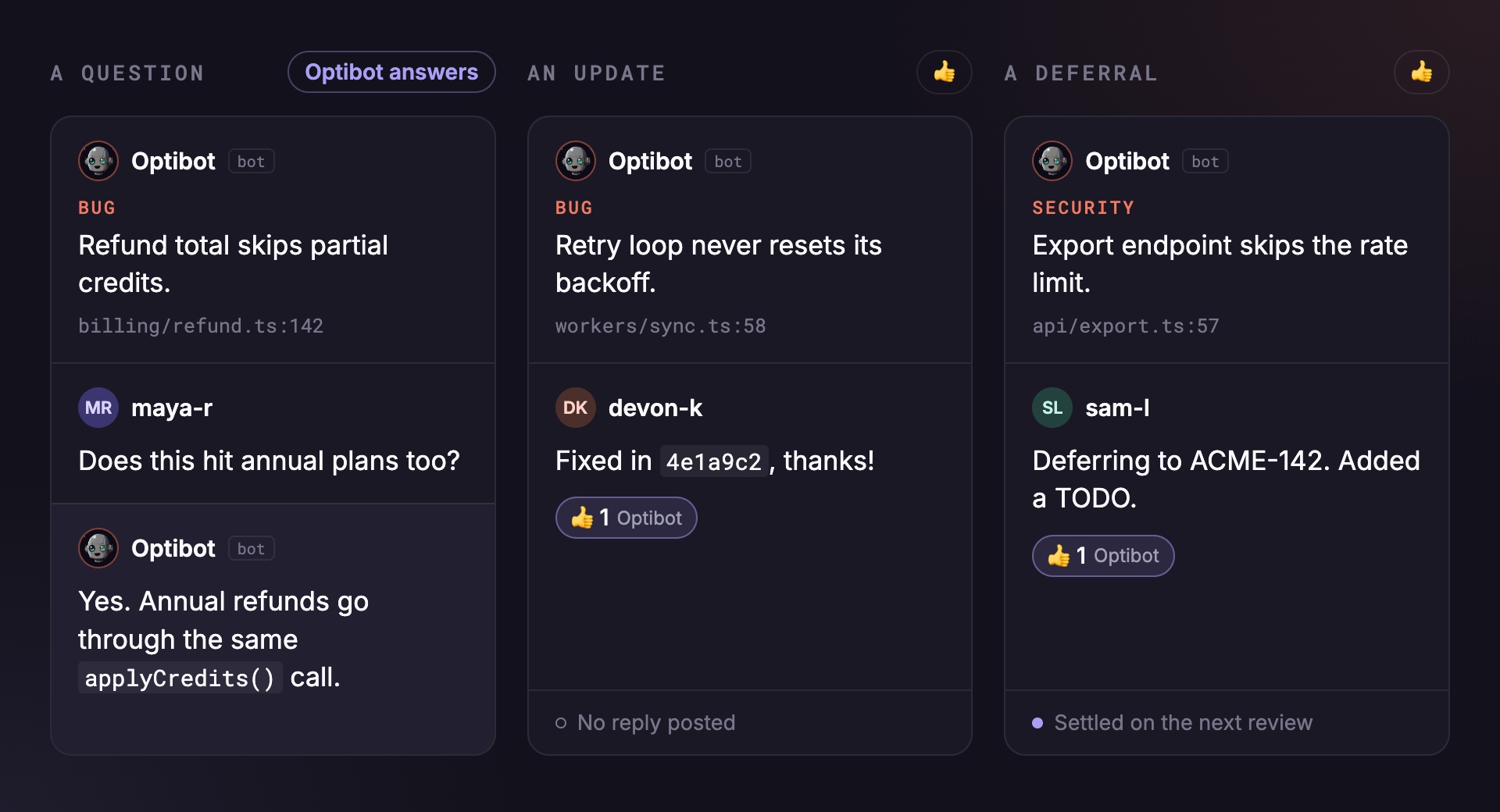
Optibot now replies in a review thread when you expect an answer: a question, a point you want it to weigh in on, or a request to explain or check something.
- A 👍 for updates. Reply to a finding with thanks, "fixed", or your decision, and Optibot reacts with a 👍 instead of posting a reply.
- Deferrals stick. Defer a finding to a ticket, a TODO in the code, or a follow-up PR, and the next review treats it as settled.
- Only when you mean Optibot. Teammates talking to each other, and commands meant for other tools, no longer get a response.
Improvements
- Review memory that keeps learning. Review memory keeps picking up new lessons on your busiest repositories, and new repositories start out with more of your team's history.
- More reliable review posting. A temporary GitHub error while posting one review no longer holds up later reviews on the same pull request.
- Change plans during a trial. Choosing a higher tier or annual billing during your trial starts that plan right away, and checkout shows the amount charged.