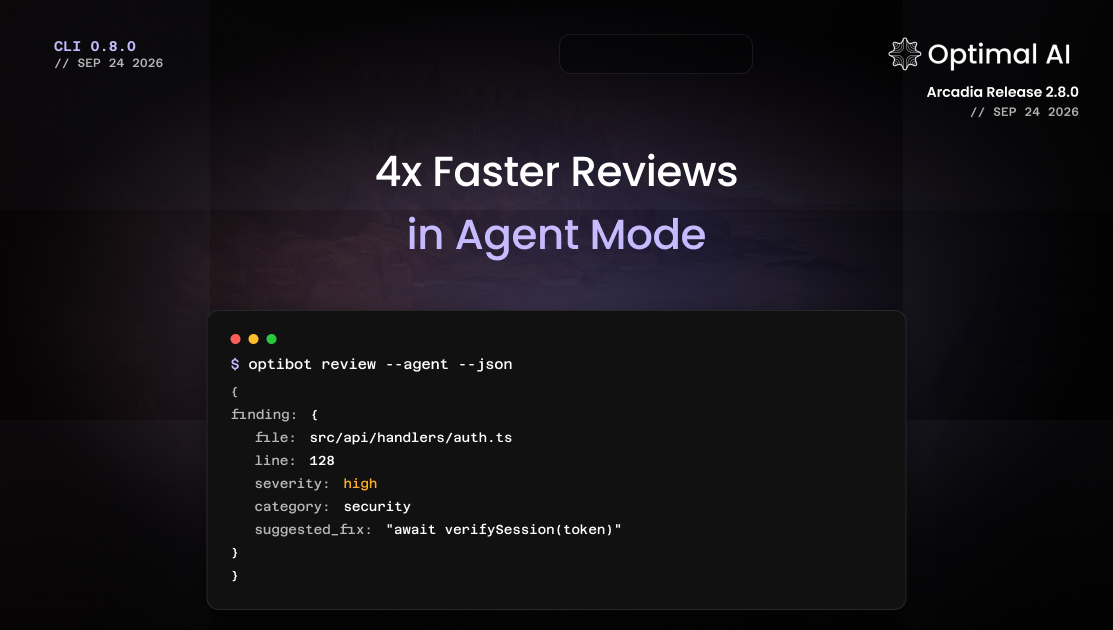
CLI Agent Mode: 4x Faster Reviews, One Shared Limit
Optibot CLI agent mode returns structured review findings about 4x faster, and CLI reviews now share your organization's review limit with no separate cap.
Optibot now reviews at the speed your coding agent works. Agent mode brings structured findings back in seconds, and every CLI review now counts toward one shared organization limit, so there is no separate CLI cap to plan around.
Update to get agent mode
npm install -g @optimalai/optibot@latest New
Agent mode: reviews built for coding agents
Claude Code, Cursor, and other coding agents already have your working copy open. Agent mode lets them hand that context straight to Optibot and get back a compact list of findings they can parse and act on right away.
optibot review --agent --json- Every finding comes back with a file, line range, severity, category, confidence score, and a suggested fix when there is one.
- When the reviewer needs a file outside the diff, the CLI attaches it and re-checks automatically.
- Add callers, tests, or your local
tscandeslintoutput with--relatedand--diagnosticsfor a sharper first pass. - Available through the MCP server's
review_agenttool as well as the CLI.
About 4x faster, with the same catches
We ran agent mode head to head against Optibot's full review on the same changes, each seeded with a real defect. Agent mode came back in a quarter of the time and flagged every bug the full review did.
What stood out:
- 6.4 seconds instead of 26.8. Short enough to run inside a single agent turn, so your agent can check its work after every edit instead of once per pull request.
- No missed bugs. Agent mode caught every seeded defect the full review caught, from SQL injection and a null dereference to a missing
awaitand an N+1 query. - Zero errors across hundreds of runs. Every review came back with a result.
- No diff size limit. A 3.5-million-character diff still came back fully reviewed.
One review limit for everything
CLI reviews now count toward the same organization review limit as your pull request reviews, instead of sitting behind a separate daily CLI cap. Run as many agent-mode checks as your workflow needs, from any developer's machine, and track all of it against one number in your organization's settings.
Ways to use it
- Let your coding agent review itself. Have Claude Code or Cursor run
optibot review --agent --jsonafter each change, fix the blockers, and re-check before handing the work back to you. - Gate every push. Add
--fail-on-issuesto apre-pushhook. At a few seconds per review, it catches blockers without slowing anyone down. - Open cleaner pull requests. Clear the obvious issues locally, so the pull request review can focus on design and intent.
- Check every commit in CI. Structured JSON output makes it easy to fail a build or annotate a commit from the findings.
When to use full review
Plain optibot review still runs the same multi-pass review as your pull requests, including your team's review memory. Agent mode is a single, faster pass over the context you send, so reach for full review when a person will read the result or the change spans much of your codebase. The docs cover the trade-offs in detail.
Get started
Read the full guide in the agent review mode docs, or start with CLI installation if you are new to the Optibot CLI.