Auto-Detect Review Instructions
Stop registering review instruction files by hand. Give Optibot a glob pattern like **/REVIEW.md and it discovers every matching file automatically.
Auto-Detect Review Instructions
When you first set up Monorepo Guidelines,
you had to paste each instruction file path by hand. That works fine for a handful of files, but in a large monorepo where
every team owns a REVIEW.md (or CONTRIBUTING.md, or .optibot/instructions.md) you
shouldn't have to maintain a list. Just tell Optibot the pattern and let it find them.
Today's update adds exactly that.
Why it matters
Manual lists go stale. Every time a team ships a new service, someone has to remember to go into the dashboard and register the new instruction file, or the new service gets reviewed without its rules applied. In practice that step gets skipped.
A glob pattern removes the human step entirely. Your naming convention becomes your configuration:
- Zero maintenance overhead. Add a new service directory, drop in a
REVIEW.md, and it is picked up on the very next PR with no dashboard change. - No dashboard access needed. Teams adopt the convention in code. They never need to touch Optibot's settings to get their instructions applied.
- Config proportional to convention, not service count. One pattern covers three services or three hundred. The configuration complexity stays constant as the repo grows.
How it works
Enter a glob pattern
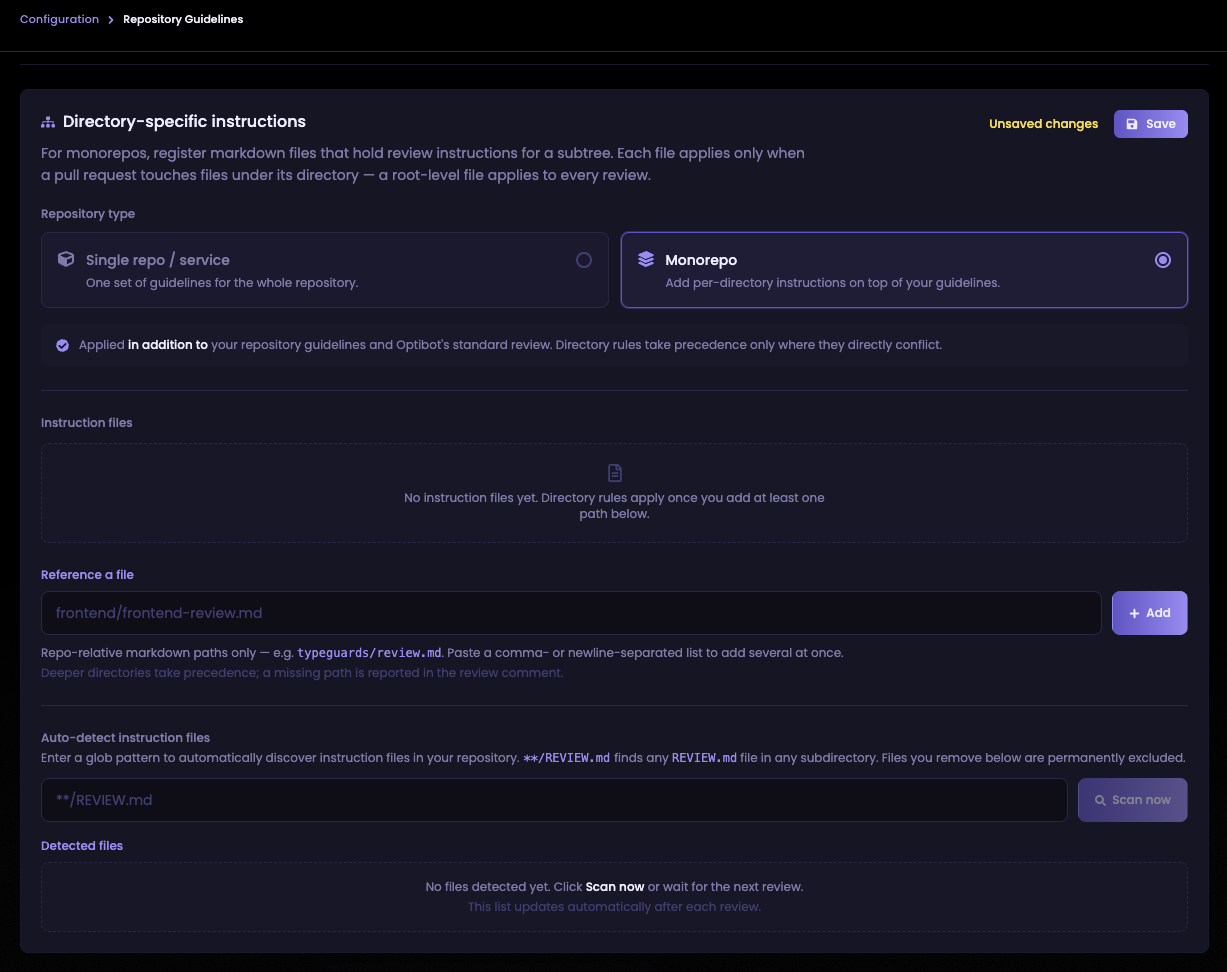
Under Auto-detect instruction files, enter a glob pattern that matches your convention.
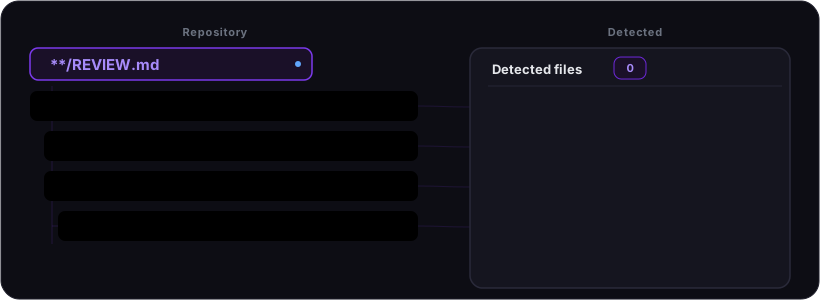
For example, **/REVIEW.md matches any REVIEW.md in any subdirectory of your
repository. One pattern covers every team's file, no matter how nested.
A repo structured like this:
my-repo/
├── REVIEW.md                  ← root · every PR
├── frontend/
│   ├── REVIEW.md              ← PRs touching frontend/
│   └── components/
│       └── Button.tsx
├── backend/
│   ├── REVIEW.md              ← PRs touching backend/
│   └── api/
│       └── users.go
└── services/
    └── payments/
        ├── REVIEW.md          ← PRs touching services/payments/
        └── handler.go
produces four matches from a single **/REVIEW.md pattern, each scoped automatically to its own directory.
Scan now to preview, or just let reviews run
Hit Scan now to confirm which files your pattern matches before any review runs.
New files matching your pattern are always included on the next review automatically. A new
service that drops a REVIEW.md gets its instructions applied on the very next PR
with no scan and no dashboard change required.
Permanently exclude files you don't want
If the glob picks up a file you want to exclude, remove it from the detected list. Removed files are permanently excluded and won't reappear on subsequent scans, even if they still match the pattern. You stay in control of exactly which files Optibot reads.
Works alongside manual references
Auto-detect and manually referenced files are additive. You can use a glob to catch the common convention across your repo and still pin specific files by path for edge cases. All discovered files follow the same scoping rules: deeper directories win, a root-level file applies to every PR, and Optibot's review footer lists exactly which files shaped each review.
If a PR modifies one of your instruction files, Optibot skips that file for that review. A PR cannot edit its own rules to avoid scrutiny. This applies equally to auto-detected files.
Available on Pro and Enterprise plans. Request a demo to see Optibot in action.