CodeRabbit is one of the most popular AI code review tools in 2026, but popularity doesn't mean it's the right fit for every team. If you're reading this, something about your current setup isn't working. Maybe the review quality isn't catching the bugs you care about. Maybe the pricing is growing faster than your team expected. Maybe you need engineering analytics alongside code review, and CodeRabbit doesn't provide them.
This guide compares eight serious alternatives: Optibot, Greptile, Qodo, GitHub Copilot Code Review, Cursor BugBot, SonarCloud, Amazon Q Developer, and Sourcegraph Cody. For each tool, we cover what it actually does well, where it falls short, and what it costs at scale.
Why teams look for CodeRabbit alternatives
Before jumping to alternatives, it's worth being specific about what's driving the switch. Teams typically leave CodeRabbit for one of three reasons:
Per-review file caps skip the changes that matter most. CodeRabbit indexes your codebase rather than reading the diff in isolation, so review depth on an everyday pull request is not the problem. The problem is the ceiling. Once a pull request exceeds 150 changed files on Pro (300 on Pro Plus and Enterprise), the automatic review is skipped. On GitHub you can pay to run it on demand at $0.25 per reviewed file, so a 200-file refactor costs roughly $50 to review; on GitLab and Bitbucket there is no pay-to-review option at all, and nothing over 300 files can be reviewed through usage pricing on any plan. Migrations, framework upgrades, and monorepo-wide renames routinely cross that line, and those are exactly the changes where a missed regression is most expensive. Optibot applies no per-PR file cap and no per-file charge: a 400-file migration gets the same review as a 4-file bug fix, at the same flat price.
The seat price is not the bill. CodeRabbit is priced per seat, at $24 per developer per month on Pro and $48 on Pro Plus billed annually, which undercuts Optibot's $29 and $49 on the headline number. What the seat includes is where it separates. Comprehensive security scanning is a $40 per user per month add-on, the fixing agent is billed at $0.50 per minute of runtime, and usage credits cost $1.00 each covering $0.25 per reviewed file. There is also a throttle: Pro starts at 5 reviews per developer per hour, and a fair-usage policy steps that down as a developer's trailing volume climbs, reaching 1 sequential review per hour at 60 or more reviews in 7 days. Buying credits is the only way to skip the wait. Optibot includes security-aware review on every plan at no extra cost and engineering metrics from Pro, with a published monthly allowance that does not move based on how hard your team is shipping.
No engineering analytics. CodeRabbit is a code review tool. It doesn't track PR cycle time, DORA metrics, AI code adoption ratios, or contributor productivity. Teams that want both deep code review and engineering velocity insights need to look elsewhere, or pay for a separate analytics platform on top of their code review spend.
The 8 best CodeRabbit alternatives in 2026
Multi-model review on every PR, unlimited cross-repo codegraph, and memory that compounds. Flat $29/user
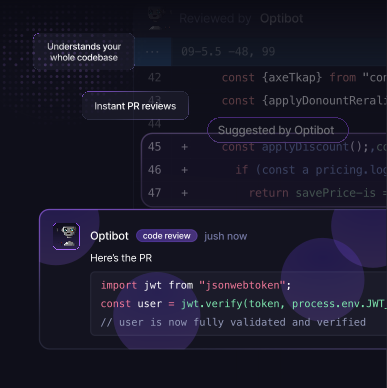
Optibot is the strongest CodeRabbit alternative for engineering teams that want more than just a code reviewer. Optibot indexes your entire codebase on every push and applies no per-pull-request file cap, so the migrations and monorepo-wide renames that CodeRabbit stops reviewing past 150 changed files still get reviewed. The review difference is most visible on multi-file changes: a refactor that looks clean in the diff but breaks behavior in an unrelated service will get flagged by Optibot; CodeRabbit won't see it.
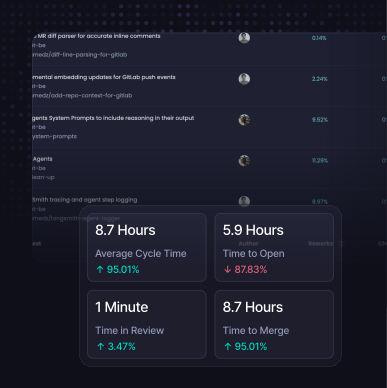
Beyond review quality, Optibot includes built-in engineering metrics: PR cycle time, DORA metrics, AI code adoption tracking, contributor insights, and sprint health. This is the only dedicated code review tool that gives you both the code quality layer and the engineering velocity layer in a single product. Flat $29/user/month pricing means your costs don't grow as your team ships more.
Pros
- Full codebase context (not diff-only) on every PR
- Multi-pass security scanning + CWE/CVE database
- Engineering metrics: cycle time, DORA, AI adoption
- Flat $29/user/month, no spike as you ship more
- GitHub + GitLab (cloud and self-hosted)
- VS Code and Cursor IDE extensions
- Autonomous CI fixing agent
- SOC 2 Type II certified
Cons
- No Bitbucket or Azure DevOps (in development)
- No free tier for open-source repos

Want to see how Optibot compares to CodeRabbit directly? See a detailed side-by-side breakdown of features, pricing, and review quality.
50 credits per seat, then $1 per extra review; a deep review burns 3 credits
Greptile is a strong CodeRabbit alternative that also offers full codebase context rather than diff-only analysis. It claims to catch more bugs than CodeRabbit in its own benchmarks, and the technical approach (indexing the full repo and using that context for every PR review) is comparable to Optibot's.
Greptile's main gaps compared to Optibot: no engineering analytics (no cycle time tracking, DORA metrics, or AI adoption insights), usage-based pricing that scales with PR volume, and no IDE extension for in-editor fix resolution. For teams that specifically need full-context reviews without the analytics layer, Greptile is the second-strongest option on this list.
Pros
- Full codebase context (not diff-only)
- Native GitHub App, inline PR comments
- Strong code search and logic bug detection
- GitLab cloud support
Cons
- No engineering productivity metrics
- Usage-based pricing scales with PR volume
- No VS Code or Cursor extension
- No AI adoption tracking
Bitbucket and Azure DevOps coverage, but governance features gated to enterprise tiers
Qodo offers both a coding assistant (Qodo Gen) and a PR review product (Qodo Merge). For teams on Bitbucket or Azure DevOps (which neither Optibot nor Greptile support), Qodo is one of the few full-featured alternatives to CodeRabbit. The rules engine is the standout feature: it lets teams define and enforce custom coding standards across all PRs, which is particularly valuable for large organizations with strict governance requirements.
The tradeoffs: the dual-product setup adds configuration complexity, Qodo doesn't offer engineering analytics, and pricing is less transparent than Optibot or CodeRabbit. For teams that don't need Bitbucket/Azure DevOps or custom governance rules, there are better options.
Pros
- GitHub, GitLab, Bitbucket, and Azure DevOps
- Strong rules engine for enforcing coding standards
- Dual product: coding assistant + PR review
- Enterprise governance and compliance features
Cons
- Complex setup vs. Optibot/Greptile
- No engineering productivity metrics
- Less transparent pricing
- Dual-product overhead for smaller teams
"The real difference between good and great AI code reviewers isn't the LLM they're built on: it's whether they can see your whole codebase or just the diff. A 100-line change can break behavior in 10 other files. Diff-only tools will never know."
Bundled with Copilot Business, but GitHub-only with no engineering metrics at any tier
GitHub added pull request review to Copilot in 2025. For teams already paying for Copilot Business or Enterprise, it provides inline review comments at no additional per-seat cost. If you're looking for a CodeRabbit alternative specifically because you want lower cost, and your team is already on Copilot, this is worth evaluating.
The limitations are significant compared to CodeRabbit, let alone full-context tools: diff-only analysis, GitHub-only, no engineering analytics. It's a useful add-on to an existing Copilot investment, not a replacement for a purpose-built code review tool.
Pros
- Included with Copilot Business/Enterprise, no extra cost
- No new tool to install for GitHub teams
- Familiar GitHub-native UI
Cons
- Diff-only (misses cross-file and architectural bugs)
- GitHub only (no GitLab)
- No engineering analytics
- Review quality behind purpose-built tools
Billed per run, and only worth it if the whole team already codes in Cursor
Cursor launched BugBot in mid-2025 as a PR review add-on for Cursor subscribers. It leverages Cursor's codebase indexing to review pull requests on GitHub. Setup is seamless for existing Cursor users. The context it uses (Cursor's codebase index) gives it reasonable code understanding, better than diff-only tools.
The major limitation: BugBot only makes sense if your entire team uses Cursor. It's not a standalone tool: it's an add-on to an IDE. And at $40/user/month on top of the required Cursor Business subscription ($40/user/month), you're paying $80/user/month total for review quality that doesn't match Optibot's $29/user/month. There are no engineering analytics, and GitLab support is limited.
Pros
- Tight integration with Cursor's codebase indexing
- Seamless setup for existing Cursor teams
- GitHub PR integration
Cons
- Only valuable if entire team uses Cursor IDE
- $40/user add-on on top of Cursor subscription ($80/user total)
- No engineering metrics or cycle time tracking
- Limited GitLab support
A static analysis quality gate, not a codebase-aware reviewer
SonarCloud is the cloud edition of Sonar's widely-used static analysis platform. It's a different category from the AI contextual reviewers above: it's a static analysis and code quality gate rather than an AI reviewer. SonarCloud excels at enforcing code quality thresholds, blocking merges on coverage regression, and detecting security hotspots in known vulnerability categories.
The complementary use case is compelling: run SonarCloud as a CI gate to catch pattern-matched security vulnerabilities and quality violations, run Optibot or Greptile as the AI reviewer to catch logic bugs and architectural issues that require codebase context. Many teams use both. SonarCloud has a free tier for public repos.
Pros
- Mature, battle-tested static analysis
- Strong OWASP/CWE security hotspot detection
- Free tier for public repos
- Broad language support (27+ languages)
- CI/CD gate enforcement with quality profiles
Cons
- No codebase-level contextual understanding
- Misses logic and architectural bugs
- No AI narrative review comments
- No engineering productivity metrics
- High false-positive rate on complex codebases
Tied to the AWS ecosystem; value drops sharply outside it
Amazon Q Developer (formerly CodeWhisperer) is a broad AWS coding and security tool that includes PR review capabilities. For organizations deeply embedded in AWS (using CDK, CloudFormation, IAM, Lambda), Q Developer has context that generic tools lack. It understands AWS service patterns and can flag infrastructure misconfigurations at the code level.
Outside the AWS ecosystem, Q Developer's advantages largely disappear. General application code review quality is roughly on par with GitHub Copilot Reviews, adequate for basic coverage but not competitive with full-context AI reviewers. The AWS Builder ID or IAM Identity Center requirement adds friction for teams not already in the AWS ecosystem.
Pros
- AWS-specific security scanning (IAM, S3, CDK)
- Free tier for individual developers
- JetBrains, VS Code, and Cloud9 integration
Cons
- Strong value only for AWS-heavy codebases
- No full codebase context for PR review
- No engineering analytics
- AWS ecosystem lock-in required
A code assistant on Sourcegraph, not a dedicated pull request reviewer
Sourcegraph Cody is primarily a coding assistant built on top of Sourcegraph's code search graph. For teams already running Sourcegraph Enterprise, Cody adds AI-powered code suggestions, Q&A, and some PR-level review capabilities. Sourcegraph's code search graph gives Cody genuine codebase context, a real advantage over diff-only tools.
PR review is secondary to Cody's coding assistant identity. It's not as purpose-built for systematic, per-PR review as Optibot or Greptile. The main reason to consider it as a CodeRabbit alternative is if your organization already has a Sourcegraph Enterprise license and is looking to consolidate tooling rather than add another product.
Pros
- Built on Sourcegraph's code graph for real context
- Good for large monorepos with Sourcegraph deployed
- Broad IDE support
- Self-hosted option for enterprise
Cons
- PR review is secondary to coding assistant use case
- Full context requires Sourcegraph license
- No engineering analytics
- Significant complexity and cost to deploy Sourcegraph
Free and open-source CodeRabbit alternatives
This is the most common qualifier people add to this search, and it deserves a straight answer that cuts against the rest of this guide: if your repositories are public, CodeRabbit is probably the right tool and you should not switch. CodeRabbit Pro is free forever for public repositories, with no seat limit and no time limit. That is the most generous open-source offer in the category, and none of the alternatives here match it for public code. Optibot does not offer a free open-source tier.
So the question is worth splitting in two, because "free" means different things depending on which one you are asking.
If you want free review for open-source work, install CodeRabbit on the public repository and stop reading. You get the full Pro feature set at no cost. The alternatives in this guide are aimed at private repositories, where that offer does not apply.
If you want to reduce cost on private repositories, free is not on the table from any vendor, so compare total cost rather than headline price.
CodeRabbit's seat is cheaper: $24 per developer per month on Pro and $48 on Pro Plus billed annually, against Optibot's $29 and $49. Everything outside the seat is where it turns. Comprehensive security scanning is a $40 per user per month add-on, the fixing agent bills at $0.50 per minute, and usage credits run $0.25 per reviewed file past a plan limit.
Optibot includes security-aware review on every plan and engineering metrics from Pro, with no per-file charges. Which is cheaper comes down to whether you need those pieces.
If you specifically want open-source software you can self-host, that is a different category from every commercial tool in this guide. Qodo publishes PR-Agent under an open-source licence, which you can run against your own model provider and pay only inference costs. Expect to operate it yourself: no managed indexing, no dashboard, no support, and engineering time that usually costs more than the licence you avoided.
Quick comparison: all 8 alternatives at a glance
| Tool | Full context | Eng. metrics | GitLab | Pricing |
|---|---|---|---|---|
| Optibot | ✓ | ✓ | ✓ | $29/user flat |
| Greptile | ✓ | ✗ | ✓ | $30/seat + credits |
| Qodo | ✓ | ✗ | ✓ | Freemium / Enterprise |
| GitHub Copilot | ✗ | ✗ | ✗ | Bundled w/ Copilot |
| Cursor BugBot | Partial | ✗ | ✗ | $40/user add-on |
| SonarCloud | ✗ | ✗ | ✓ | Usage (lines of code) |
| Amazon Q | ✗ | ✗ | Partial | $19/user / bundled |
| Sourcegraph Cody | Partial | ✗ | ✓ | $9/user + Sourcegraph |
What CodeRabbit does well (and where to stay)
In the interest of balance: CodeRabbit has genuine strengths that the alternatives above don't always match.
The free tier for public repos is unmatched. If you're maintaining an open-source project, CodeRabbit's free tier provides meaningful code review coverage. None of the full-context alternatives (Optibot or Greptile) offer a comparable free tier for public repos.
Platform coverage is the broadest in the category. CodeRabbit supports GitHub, GitLab, Bitbucket, and Azure DevOps. If your organization uses Bitbucket or Azure DevOps and isn't ready for a migration to GitHub/GitLab, CodeRabbit and Qodo are your main options. Optibot, Greptile, and most AI-first reviewers focus on GitHub and GitLab.
If neither of those factors applies to your team (you're on GitHub or GitLab, working in a private repository, and you want the best possible review quality with predictable pricing), then the alternatives above are worth the switch.
Making the decision
The right CodeRabbit alternative depends on what's driving your search. Here's the fast version:
- Want full codebase context + engineering analytics + flat pricing: Optibot, the strongest overall alternative.
- Want full codebase context, don't need analytics: Greptile, good review quality, usage-based pricing.
- Need Bitbucket or Azure DevOps with governance rules: Qodo, enterprise-focused, complex to set up.
- Already on Copilot Business and want the cheapest option: GitHub Copilot Reviews, diff-only but free on top of existing spend.
- Want a CI quality gate alongside an AI reviewer: SonarCloud as a complement, not a replacement.
- Whole team uses Cursor and values IDE integration: Cursor BugBot, but check the total cost against Optibot first.
Every tool on this list has a free trial or free tier. The most reliable evaluation method is connecting each tool to a real private repository with a few weeks of PR history and measuring what each tool actually catches on your code, especially on multi-file changes.