Optibot Release - Re-review code in one click
One click re-review in GitHub and Slack, richer Slack notifications with author and comment counts, and clearer review status messages.
Optibot Release 2.6.6 — Arcadia
You pushed the fixes. You shouldn't have to remember a command to get them reviewed again. 2.6.6 turns running a review again into a single click, in GitHub and in Slack, and makes every status message tell you exactly where things stand.
Features
One click re-review in GitHub
When automatic reviews on every push are turned off for a repo, you used to type a command every time you wanted another pass. Now Optibot drops a "re-review this PR" link right into its review and summary comments.
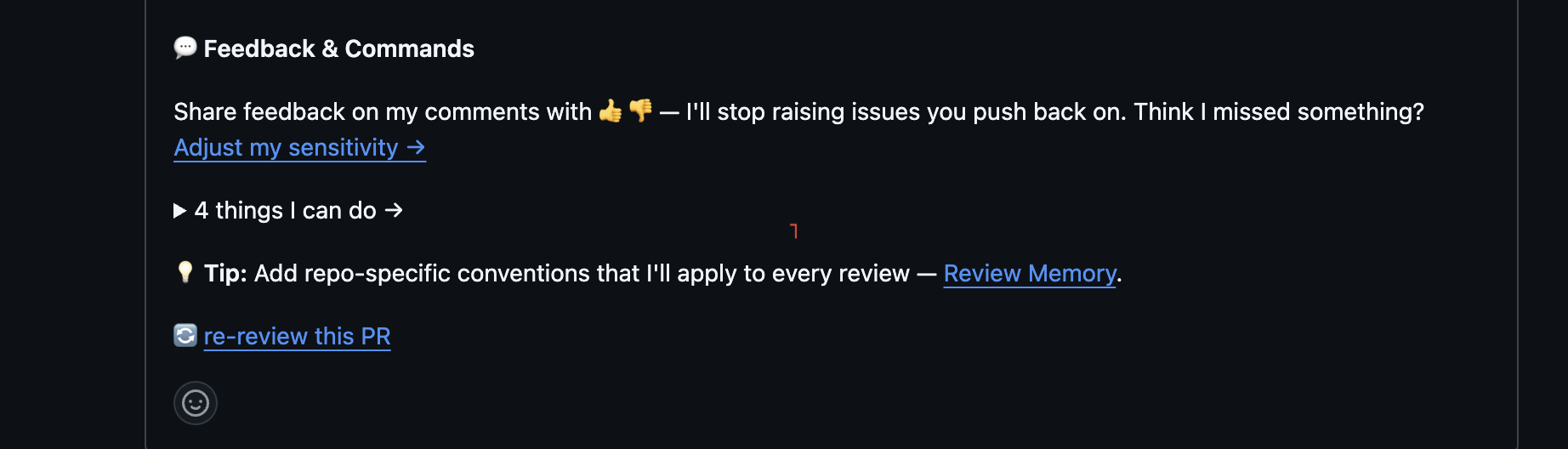
Click it and Optibot immediately confirms it's on the job, then reviews your latest commit again. No typing, no context switch.
Re-review uses uniquely signed urls with limited validity that can't be replayed or pointed at another repo, so a link in a busy thread can never burn through your GitHub API budget.
The same button in Slack
The re-review action now lives in your Slack notifications too, a "Re-review" button right next to "View Review."
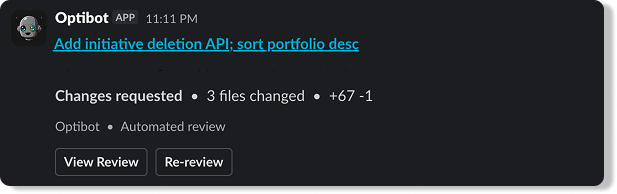
Kick off a fresh analysis from the channel where you got the notification. You never have to open the PR to ask for another look.
Improvements
Richer Slack notifications
Review notifications now lead with context, so you can triage without opening anything:
- Opened by: see who raised the PR at a glance.
- Comment and suggestion counts: know the scope before you click in. The suggestion count reflects actual applyable code suggestions, not just comment volume, so "2 suggestions" tells you there's something concrete to apply.
For a team triaging a stream of review pings, that's the difference between scanning and opening every one.
Status messages you can trust
Optibot posts a temporary "reviewing" message when work starts.

The change in 2.6.6: if a review fails, that message updates to tell you, instead of sitting there implying work is still happening. It's driven by whether the review actually posted, not a timer, so a long review is never mislabeled as failed and a stuck one never leaves you guessing. On success the placeholder cleans itself up.
Instant acknowledgment
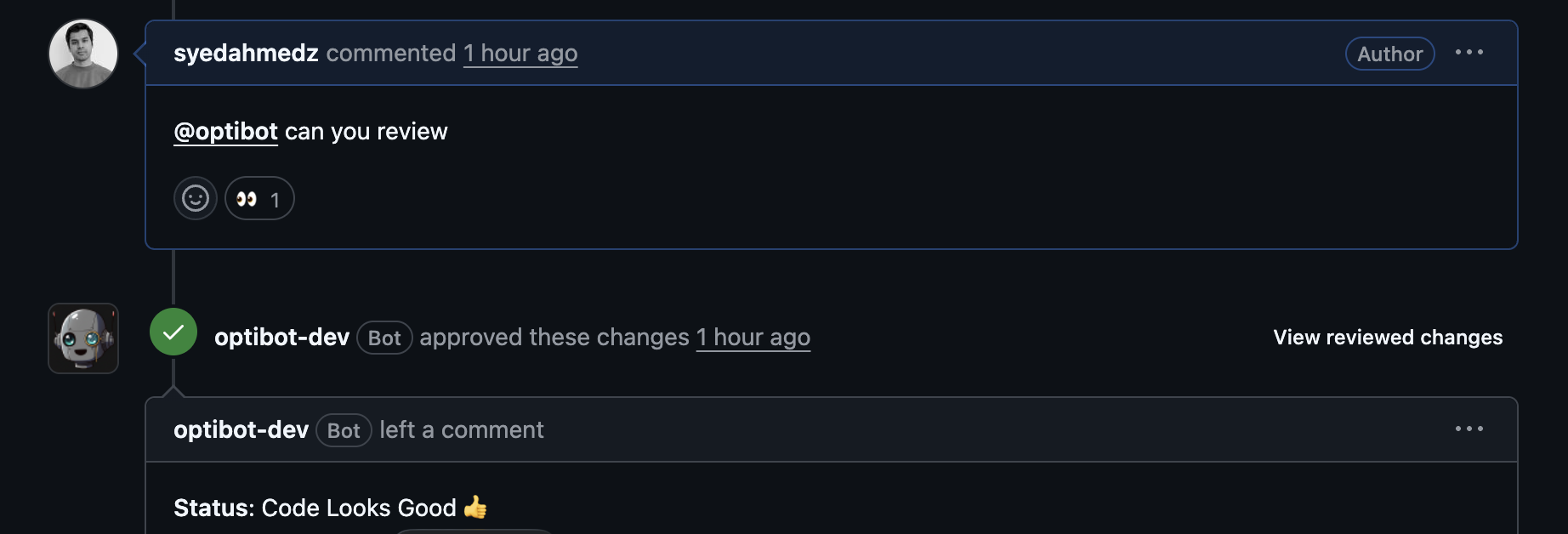
Ask for a review in a comment and Optibot adds a 👀 reaction right away, so you know your request landed before the full review arrives. Works for both #optibot review and plain English asks like "@optibot can you review."
Under the Hood
- Cleaner GitLab comments: fixed the double spacing between the review summary, timing, and approval status for better readability.
- More robust links: frontend urls are normalized so generated links are always well formed.
If automatic reviews on push are off for your repo, you'll see the re-review link on your next review, and the Re-review button in your next Slack notification. Nothing to configure.
Available on Pro and Enterprise plans. Request a demo to see Optibot in action.